Thursday, October 20, 2022

The Neanderthal Family And Community

 In 2010, the first draft of the Neanderthal genome was released.The Max Planck Institute for Evolutionary Anthropology has since sequenced an additional 18 genomes from 14 different Eurasian archaeological sites.Although these genomes have shed light on a lot about Neanderthal history in general, we still know very little about individual Neanderthal communities.

The researchers turned their attention to southern Siberia, a region that has previously been very productive for ancient DNA research, including the discovery of Denisovan hominin remains at the well-known Denisova Cave. This was done in order to investigate the social structure of Neanderthals.We are aware, as evidenced by the discovery of a child with a Denisovan father and a Neanderthal mother, that Neanderthals and Denisovans have been in this region for hundreds of thousands of years and have interacted with one another.


Friday, June 24, 2022

Plant Craft BT-477 Manual Plantcraft Baumer Cultivator Rotavator

ARE YOU LOOKING FOR A PLANT CRAFT CULTIVATOR BT-477 MANUAL?

It is the same product as a Baumer-AG BT-477 Cultivator.

You will find the manual for the FOUR BLADE HAND-HELD CULTIVATOR TILLER here.


The bitly link is here.


Saturday, February 1, 2020

Can't Upload Photos to Google Maps

The uploading of images when you write a review on Google Maps is not working for many people.

You will have to use the "Your Contributions" option.


Search for a premises on Google Maps and write a review in text. Click the "Done" button.


Go to the top left and see the three horizontal lines icon.


Click "Your Contributions" button.


Click "Reviews" tab.


Cursor down until you find the review you just wrote - the name of the company. Click on the name.


A Google Maps web page will open. Click the "Add a photo" button at the bottom.


Open your Picture folder. Drag your image onto the popup that opened. Click "Done" button.


Click the "Reviews" tab. Cursor down to the company you reviewed and click the name of the premises. You will see your image at the bottom of your review text.


The picture is on Google Maps it can take a week for it to appear in a normal search.


Google is starting to fade out review images. This is how Google does things. It stops things working properly. Then, after a year or so it announces a feature is gone.

If you look at reviews that show pictures you will see that they are a few years old.

Google Maps is starting to cut out the images on new reviews in the box on the left side of map views, even if they are visible in the photos tab.
Keywords: google, app, view, poi, adding, enter, maps, images, subscribe, upload, local, photos, solution, guides, pictures, photo, issue, original, place, google maps. subscribe, google, photos, images, maps, upload, enter, local, poi, solution, guides, place, view, adding, original, pictures, issue, app, photo, marinst, city, guiding, images, locations, options, user, topic, type, matches, suggesting, quickly, helps, auto-suggest, exchange, idea, desk, next, previous, work, lounge, uploading, phone, cache, solve, problem, accessibility, share, change, added, downgraded, guess, street, user-uploaded, previously, location, showing, rank

Tuesday, December 12, 2017

How to Put an Image into a Tweet Using its URL

You used to be able to click "Add more photos" and enter an image url into the Picture folder image address line, then click open to add an image to a tweet.  Twitter has now blocked this.  folder How to image into a tweet using its url How b to b into b a b tweet b using b its b url

There is a way to get over the problem.  Create a shortcut to your Picture folder on the Desktop and drag it onto the Start taskbar.  url
Find an image on a webpage.  Cursor over the pic and drag it onto the shortcut.  


Now upload the picture as you normally would by clicking the add icon at the bottom of your new tweet.  Choose the image which will be on your computer from the Picture folder and click "Open".


This is far quicker that saving it to the Picture folder then uploading.


Tuesday, January 24, 2017

Remove Vodafone Apps Bloatware From Samsung Phone

Go to Google Play Store. 

           Type in "My Vodafone".

You will see a list of My Vodafone apps for different countries. 

You will see the one installed on your Android phone by "Installed" in red text next to it. 

Press Installed or somewhere near it and you will be taken to the apps Play Store page. 

Press "Uninstall" and you are done. 

 Okay.

Sunday, October 9, 2016

Canary Browser Has Stopped Working - Will Not Open

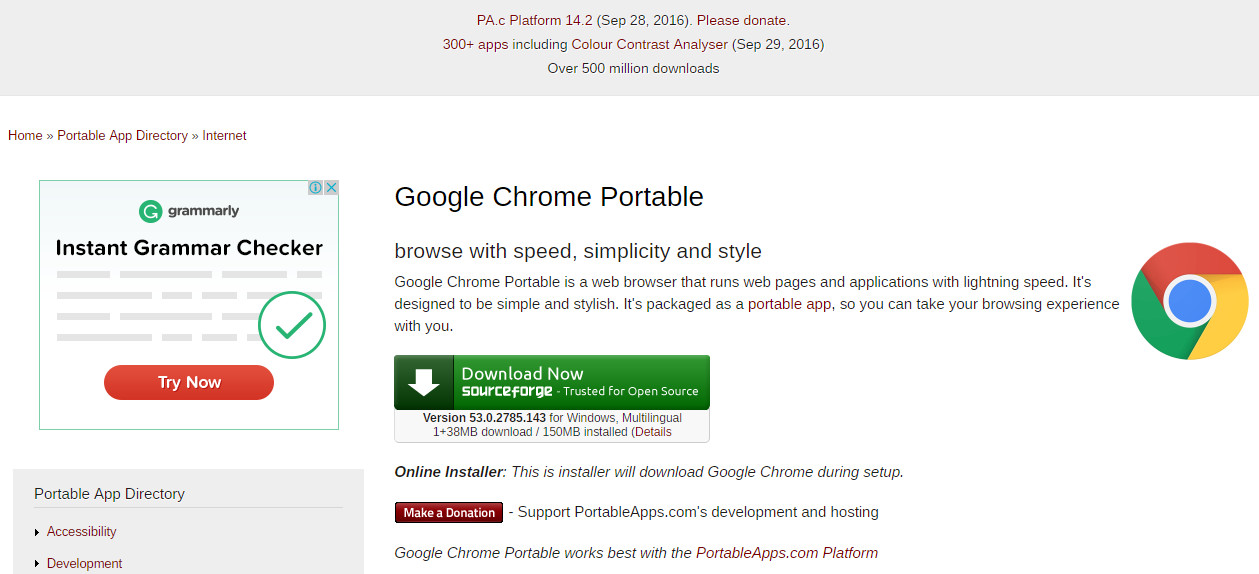
Canary browser stops opening try Chrome 64 portable.
Try Chrome 64 Browser

Canary browser can suddenly stop working on some laptops and PCs. There seems to be no fix for this issue. Believe me I have tried everything, old restore points, choosing Windows 8 compatibility, uninstalling/reinstalling both Canary and Chrome - nothing works. Oddly, I have another laptop and PC and Canary browser continues to work on them.
Chrome 64bit portable
Ah well, we will have to move forward. Windows 10 is c..p anyway. Are you aware that Windows 10 has been completely rewritten since the free upgrade. It looks the same but it is as different as IOS. 

I recommend you download and try Chrome 64 Portable. Yes there is a 64bit version out there.

     The download link is on the Portable Apps webpage.

     The direct download link is here


I hope your computing is bug free.
Good Luck!


Saturday, October 8, 2016

WYSIWYG Webbuilder is Not Compatible With Windows 10

Will not run, will not operate correctly, error, not working
WYSIWYG Webbuilder is not compatible with Windows 10.  It will not operate correctly.  It runs very slowly, does not respond and whites out.  The developers of WB must act soon or they will go out of business.
WYSIWYG Webbuilder 11
If you make a new post in WB community and it contains words such "will not work", "does not operate correctly" and so on it will be removed.  However, you cannot hide or run from the truth.  The software is incompatible.

WYSIWYG Webbuilder it still taking money from people.  They know they are stealing!

The Windows 10 free upgrade was okay.  WB did work with that operating system.  Microsoft has secretly rewritten the whole Windows 10 system.  It looks the same as the free upgrade but underneath, it is absolutely, totally different.

It is possible that WB will be hit with legal action.  If people pay and lock themselves into the WB system they could suffer monetary loss in the near future when they are unable to effectively edit their sites.


Monday, September 26, 2016

Access Denied You don't have permission to access "http://sdlc

When you try to install Java Runtime environment  by Oracle you will now be hit with this message:

Access Denied

You don't have permission to access "http://sdlc-esd-stage.oracle.com/ESD6/JSCDL/jdk/8u101-b13/JavaSetup8u101.exe?" on this server.

Reference #18.6b7d117.1474816754.d96a7d5


This is not a block done by Windows 10.  Though such behavior is notable by Microsoft like blocking the installation of freeware competitors to 365 Word which should be stopped by national trading authorities.  Microsoft has a popup that says the programs will not run on Windows 10.  However, install a freeware word processor using a PC running windows 7, transfer the program folder over to a Windows 10 laptop, create a shortcut to the "exe" file, and it will run perfectly.


Now let's get back to the current issue.  Because of legal problems Oracle must now get an acceptance of its terms and conditions.  You must got to, 


http://www.oracle.com/technetwork/java/javase/downloads/jre8-downloads-2133155.html


Cursor down to "Java SE Runtime Environment 8u102".  Click the little circle next to "Accept License Agreement" in the 8u102 box and the message will change to,

 "Thank you for accepting the Oracle Binary Code License Agreement for Java SE; you may now download this software."


Cursor Down to "Windows x64 Offline".  Download and install Java.

Have a good day!

Thursday, March 13, 2014

Get to Google faster. Update your default search engine. Sure. No thanks. How to Stop it.

                                  
There is an easy way to stop getting the,

 "Get to Google faster. Update your default search engine.  Sure. No thanks."

message at the top of the Google start page.
...................................................................................

A lot of old stuff still exists out there.  There is an ancient URL for Google that was once used to get to iGoogle.  This URL can be modified to your region and the "Get to Google faster" nuisance message does not appear.


As an example the usual URL for Google Australia is "https://www.google.com.au/".  The nuisance nag always shows at the top of the Google page when I start Internet Explorer.

If I use the URL "http://www.google.com.au/webhp?nord=1" as the start page the nag message does not appear, but the normal Google au search page appears.

Just modify the URL for your region.

If you are in the uk use the URL "http://www.google.co.uk/webhp?nord=1".

No need to download  Adblock 1.3.10. and enter "##DIV#mgmhppd" as a new filter rule.

Just use the URL as set out above.

There we have it.

Happy Interneting
                           Ty
Internet by Ty Buchanan 

Saturday, November 17, 2012

Adding Your Own Favicon Icon to Your Blogspot Blog Template

YOUR OWN FAVICON IN THE OLD BLOGSPOT BLOGGER INTERFACE

If you don't like the new interface - like me - you can just edit the HTML.

Make your 16x16 pic, change it to the ".ico" format and rename it "faviconbyme.ico".

Upload it to the "images" folder on your ordinary website server.

This images folder should be in /public_html/ - the usual place.


Sign into the Blogger Dashboard and choose "Template".

Put the following code (change it to your own website name) above "</head>" .


<type="text/css" /><link rel="shortcut icon" href="http://www.yourwebsite.com/images/faviconbyme.ico" type="image/x-icon" />

Save it and now you have a pretty little icon for users who want to follow your blog.  Users will put your blog URL in their "Bookmarks".

The code,
<link rel="icon" type="image/vnd.microsoft.icon" href="http://www.blogger.com/favicon.ico"/>
could still be in the blog html.  You can leave it or remove it.  Your code will override the microsoft icon instruction. 

. . . . . . . . . . . . . . . . . . . .
Favicon icon Blogspot Blog template html code dashboard
TwitThis

Tuesday, September 11, 2012

MOZILLA FIREFOX 14 WILL NOT UPDATE TO FIREFOX 15 IN WINDOWS 7, won't, can't, cannot

MOZILLA FIREFOX 14 WILL NOT UPDATE TO FIREFOX 15 IN WINDOWS 7

Firefox programmers are just as useless as those at Microsoft Internet Explorer. They drink coffee all day and then go home to play with their hardware.

They are paid to do a job then do something else, wasting their work hours away. You would not believe that programmers must be the most absent minded people in the world. They concentrate on putting useless complex things into software that users just will not use, but they forget to cover the basics.

There is a reason why Firefox 14 will not update to Firefox 15. Firefox 14 is installed in a Mozilla Firefox folder in the C: drive Programs Files folder in Windows 7 64bit. Oddly, Firefox 15 is installed in C:\users\name\AppData\local\Mozilla folder in Windows 7 32bit and in the 64bit. You are given no option to change it.

To see the AppData folder go to the "name" folder from "Users" in Explorer. Click "Organize". Click "Folder and search options". Click the "View" tab. Then click the little circle to the left of "Show hidden files, folders and drives".

You will need to access this folder later.
MOZILLA FIREFOX 14 WILL NOT UPDATE TO FIREFOX 15 IN WINDOWS 7
UPGRADING TO MOZILLA FIREFOX 15

Forget about Firefox 14 in the program folder for the moment. Download a fresh copy of Mozilla Firefox 15 and install it. Mozilla will just leave the old Firefox 14 where it is so you can drag out a fresh shortcut link from the exe file onto your desktop and run both versions. Aren't Firefox programmers clever. Don't tell them - they haven't noticed it yet!

Run Firefox 15 from the start menu or from the new link it "hopefully' put on your desktop. From the word GO you will get a warning band across the top of the page in the browser when you encounter a website with background sound. You will probably get a message telling you that you need to install Quicktime. After you install it you will get the warning again and again. You may get something else - a warning telling you that Quicktime has malfunctioned. Every time you go to a website with sound you will get the same warning. With no sound from Firefox 15 you go to Google, search and find this blog.

It is not a Quicktime problem!
MOZILLA FIREFOX 14 WILL NOT UPDATE TO FIREFOX 15 IN WINDOWS 7

SOLUTION

You can go to "Add-ons" and not see Windows Media Player there. Download Firefox WMP Plugin from here. You will probably still not get any sound.

Open this folder: C:\Program Files\Mozilla Firefox
(the old Firefox 14 folder)
In another window open this folder:
C:\Users\name\AppData\Local\Mozilla Firefox.
Be careful because it may be in a sub,sub folder like,

C:\Users\name\AppData\Local\Mozilla\Firefox.

Copy the "Plugins" folder from Firefox 14 to the folder of Firefox 15.

THE IDIOTS HAVE NOT PROVIDED A PLUGINS FOLDER IN FIREFOX 15. HOW COULD THEY POSSIBLE FORGET???
MOZILLA FIREFOX 14 WILL NOT UPDATE TO FIREFOX 15 IN WINDOWS 7
You will now have sound in Firefox 15. If you have already uninstalled Firefox 14 you can get the files in the Plugins folder from here.

Tuesday, August 28, 2012

Google Chrome Will Not Play Music

Is the silence of Google Chrome driving you nuts?

I am running Windows 7 32bit on a Laptop and Windows 7 64bit on a PC. Something is really odd about the way Google's installer chooses the destination folder. For example, on my PC running 64bit Chrome is installed in a new Google folder in my C: drive Programs Folder (x86). This is the usual place for almost all programs. On my Laptop running 32bit Chrome is installed in the C:\Users\name\AppData\Local\Google folder.

The other odd things is, Chrome on my PC plays background sound on websites and sound on YouTube. My Laptop plays no sound in the Chrome browser. I even copied the folder from my PC onto a memory stick and plugged it into the laptop.

For a while when I clicked the exe file on the memory stick Chrome opened and played music on site and video sound. The folder was also copied onto the Laptop desktop and clicking the exe file there also opened Chrome and it played all sounds.


After 10 minutes, however, Chrome would not open any more. Even copying the folder into the Program Folder did not work.

Your only option is to install portable Chrome and update it manually. It is exactly the same as the "fixed" version and you can even sign in and get your bookmarks installed.

Get Google Chrome Portable from here.

For the direct download click here.


Portable Chrome will play all sound from the word GO.


The exe launcher file for Portable Chrome is in the Download folder where you put the initial download. Leave it there and drag a shortcut to where you want, or mover the whole portable folder to your Programs Files folder and drag a shortcut from there.

Monday, August 27, 2012

Windows 7 Background Wallpaper Keeps Resetting, default, will not work, won't, changes back, same picture, not save

THE CURE FOR WINDOWS 7 BACKGROUND RESETTING ITSELF
Windows 7 Background Wallpaper
Are you having the problem where however many times you click "Personalize" on the desktop background, make changes, then save it, the computer resets to a "default" background picture when you restart?
Windows 7 Background Wallpaper
The background picture is usually the one with a river going from top left to bottom right with fields either side. It is an ugly and dull background isn't it?
Windows 7 Background Wallpaper
This background is the default for Bing Desktop and you can delete the picture in,
C:\Users\Name\AppDAta\LOcal\Microsoft\BingDesktop\Themes.
Windows 7 Background Wallpaper
You can even delete the BingDesktop folder. When you reboot guess what? The BingDesktop and Themes folders will reappear with the same picture when you restart the computer.
Windows 7 Background Wallpaper
The AppData folder is normally hidden in the Name folder. You can uncheck the box in the Name folder and then you can see it and browse on down. There is no need for you to do this,
Windows 7 Background Wallpaper
Go to "Control Panel", "Uninstall a Program" and uninstall Bing Desktop.

Just do that and your problem is solved.
Windows 7 Background Wallpaper
By the way dump Google Toolbar as well. This is another nuisance that your computer can do without.
~~~~~Windows 7 Background wallpaper~~~~~

Friday, August 17, 2012

Make Your Own Shortcut Manager, Making, Icons, Folders, Program, exe files, Software

MAKE YOUR OWN SHORTCUT MANAGER


Users can make their own shortcut manager. You just need to make a link in the taskbar to a folder with links in it. Create a folder in the John Smith folder called LINKS. Right click on the Taskbar. Cursor over Toolbars. Then click New Toolbar and browse to the new LINKS folder and choose it.

To make individual shortcuts more visible on the taskbar just drag new shortcuts from the Desktop to the now visible LINKS (the area under the three horizontal dashed lines on the Taskbar).

1.
Change the icons to ones you like.

Right click on an icon.
Click Properties.
Click Change Icon.
Select a new icon image from the window that opens.
Click OK, Apply, then OK.

2.
In the image shown above, the first five icons are folders.
Change folder icons by right clicking one.
Left click Properties.
Choose the Customize tab.
Click the Change Icon button.
Select a new icon image from the window that opens.
Click OK, Apply, then OK.


If this doesn't work click on Explorer.
Select the LINKS folder.
Then do the same as in instructions 2 above for the appropriate folder you see there.
Close and open the folder icons in the taskbar a few times then the icons pictures will eventually change.


Remember the taskbar is visible all the time, even when you have browsers and writing programs open, so accessing shortcuts on the taskbar is easy.

If you want to order the shortcuts in your own way, just rename them with 1- in front of the name, then 2-, 3- and so on. You will find it easier to click and drag the shortcuts to the order you want on the Taskbar. They will stay where you put them. Shortcuts in folders will have to be renamed with numbers because of Microsoft's silly fixed alphabetical sorting system.

If you want you can create more folders on the Taskbar in the John Smith/LINKS/ folder.

Use names for the folders that suite you like, Accessories, Files, Creative, Media, Internet and/or Web. Just click a folder icon on the Taskbar and the folder opens. Drag shortcuts to the open folder, putting them in each folder according to category.

Oh, I find it better to drag the Taskbar to the right side. This gives you more height to view web pages. Modern screens have too much width. You can learn which icon represents which program by cursoring over the icons - a box with the program or folder name will appear for each icon.

Thursday, July 19, 2012

Google Must Be Prosecuted For Charging Non-US Users of Google Voice

Google Gmail offers a new Internet phone service if you have a Gmail Account. There is one thing about running such a service on the Internet; that is it costs nothing for the company providing the service to run. Users pay a local telephone company for access to the Internet from their homes and on their mobile phones. The connection goes through each country via local telephone companies servicing the internet and phone lines.

There is no charge for US Gmail users and a charge per call for those living in other countries. Though it is a small amount it is discriminatory. The Internet goes all around the world like a net. Access to this net is open to anyone. No country charges its population to access the net to other countries. The European furniture company Ikea has already been accused of cross-subsidization for charging different prices for the same products in different countries. The production and even distribution costs are much the same.

Google's discrimination against non-US citizens must be stopped. Legal action must be pursued. Such charging by Google is illegal unless it also charges US citizens. Please comment on this because this is really annoying and should not happen. Google is an international company not a US company.

Thursday, July 12, 2012

Windows 8 Is A Disaster for Personal Computers

THE END OF THE ROAD FOR EASY WEB DESIGN

Windows 8 means more problems for web page designers. What Internet Explorer reproduces in Windows 8 on a personal computer is not what comes out on a tablet. Internet Explorer 10 is the worst culprit. Having IE10 built into Windows 8 with no possibility of going back to IE9 is definitely a nuisance. Text goes right off the background square. On a PC, fonts are either extended too long and go over the background square at the bottom, or there is a line gap under the full stop because text is too short.

Nearly all the other browsers reproduce correctly, except FireFox with the last word on some fonts extending to the next line. This is rare though. Obviously, the problem lies in the operating system itself which is designed specifically for tablets. Personal computers are only of secondary consideration.


There is a "war" going on in the US at the moment over how images will be shown on tablets and even mobile phones. The powers that be are in a battle with professional code writers over what system will be used. This wonderful image system is called Picture Fill. The font problem with Windows 8 will make the fight more complex.

Designers now have to put images onto a web page knowing that in some circumstances fonts may write over the image or go behind it. Windows 8 is being released far too early. It is not yet known whether the new coding will be in HTML5 or left for HTML6. Whichever way it goes Windows 8 will be obsolete.


The new code for Picture Fill put forward by designers has four images being uploaded to the server at four different pixel densities. This is for each image on the web page. The lowest size and pixel strength will be downloaded by small devices. High definition sites on personal computers will download the highest definition image version. This will definitely make download times longer for all systems, and take up more memory on servers.

Your $40 will be wasted on upgrading to Windows 8. The problems are countless. You cannot set up a network in your home because security turns off and prevents access to Windows Firewall. This blocks all attempts at accessing other devices. Many older versions of software keep shutting down despite compatibility settings. You have to give Microsoft your email address and your correct password as you are logged on at startup. They are surely going to look at your email

Stay with Windows 7. It is the last Windows system written exclusively for PCs.


Wednesday, June 27, 2012

World Will Lose Greek Heritage

The culture of Greece is at risk and this is where democracy was born, Surely, funding can be found from other countries. National cuts have reduced the archaelogical workforce to a dangerous low level. Up to 50 per cent of workers in total will be dismissed, Just maintaining ancient structures is expensive.

Of more immediate threat are museum pieces, not fixed ancient buildings though illegal diggings are threatening these. museum security guards have been laid off. Armed robberies are increasing. Offical research projects funded from other countries are continuing. but all local digs have ceased as the money is stopped.

Work on ancient walls built in the time of Pericles located under the metro rail line, no longer takes place. The dig is important to understand how the access way from Athens to the sea affected the way the fleet of ships was used during the Peloponnesian War.

There will be a real loss of experienced specialists as they take early retirement. Those left spend all their time in the office as work planning stops. Important scientific papers are not being written, so the world scientific community loses. People are digging holes all over the country to find small antiquities to sell for anything they can get. Income is falling for everyone and a few extra Euros feeds the family. Greek auction houses are getting a lot of the unprovenanced stock which they sell as no "genuine" artifacts are on the market.
. . . . . . . . . . . . . . . . . .
Archaeology

The Problems With Planet Domain Web Hosting, Reviews, Blog.


PLANET DOMAIN

Planet Domain is a self-assured company, in that it believes in treating customers as it sees fit.  It also offers consumers a product of their own making and expects users to accept their price.  planet domain.
I have been a Planet Domain customer for over six years.  I am really upset at the way they are treating me.  Every year there is a hassle as they get confused over automatic credit card payment and sending out a bill.   They think "We will send them a bill whether they pay that way or they pay automatically, just to p... them off."    planet domain
      
Every month on the last two or three days my website runs out of bandwidth.  They are trying to make me pay $155 a year too increase my bandwidth. It's $240 for unlimited bandwidth. When I tell them all the other providers give unlimited bandwidth from the very basic package up, they just mumble away with a lame excuse.  planet domain
Planet Domain has an advertised table of Host Plans and a "secret" business system that is not really advertised.  They charge more for a business plan though you don't get anything more than the ordinary plans.    planet domain
      
They are moving all websites to new servers one at a time.  My turn came today.  The person on customer support told me he would send out a link explaining the delay I would experience.  Furthermore, he would send the link by email, only to my website server.  This was stupid, considering the server is down.  I don't have access to get the link!      planet domain
       
To put it bluntly their support technicians are second rate.  They can't even take justified customer complaints.  They recently sent me email saying I had no right to abuse them.  Well, with the service they offer they must get plenty of it.      planet domain

Please, take my advice and don't lodge your web hosting with Planet Domain.  I will certainly be changing.

Friday, May 4, 2012

Internet Explorer IE Will Not Play Music, Sound, in Windows 8

INTERNET EXPLORER WILL NOT PLAY MUSIC IN WINDOWS 8 FOR WEB PAGES THAT HAVE BACKGROUND SOUND

You have installed the Consumer Preview edition of Windows 8.  When you go to a web page that has sound you get the message along the bottom of the screen that tells you to install Windows Media Player.  After installation there is still no sound when the web page is refreshed.

The problem is the computer has to be set up with Windows Media Player as default.  There are three stages to this and they must all be done.

THE SOLUTION

1) Check if WMP is on the Default Program list.

Click "Start", "Control Panel", "Programs", "Default Programs" and "Set Your Default Programs".

Check if "Windows Media Player" is on the list. If it isn't, go here.

Welcome back if you had this problem.


2) Set WMP as the default player.

Click "Start", "Control Panel", "Programs", "Default Programs" and "Set Your Default Programs".

Choose Windows Media Player from the list. Click "Set this program as default".

You can go further and choose "Set associations for a program" where you can set a player for each file type.


3) Set Computer Defaults.

Click "Start", "Control Panel", "Programs", "Default Programs" and "Set program access and computer defaults".

Click "Custom" and click the expand information arrows on the right.

Cursor down to "Choose a default media player".

Check "Windows Media Player"

Click "OK".

Turn off Internet Explorer and restart.

Go to a website that has video. A warning message will appear across the top of the page in IE asking if you want WMP to play video. Choose "for all sites".


Internet Explorer will play video on any site now.


Wednesday, February 29, 2012

Internet Explorer Will Not Play Video Despite Being Set as Default Player, IE, WMP

THE INTERNET EXPLORER WINDOWS MEDIA PLAYER VIDEO PROBLEM

You have tried just about everything, checking the blogs and web pages, taking their advice and applying it. Nothing solves your problem: Internet Explorer will not play video. You just get a video console on a website with an error message, or the console remains black and blank.

The problem for IE is that it does not install with all the needed plugins. Yes, some basic ones are there, but basic to IE developers is not what is "required" by users. When you buy a car or receive a free gift, you at least expect it to work properly.

Setting WMP as the default player is not enough to make it work on all web pages.


THE SOLUTION

1) Check if WMP is on the Default Program list.

Click "Start", "Control Panel", "Programs", "Default Programs" and "Set Your Default Programs".

Check if "Windows Media Player" is on the list. If it isn't, go here.

Welcome back if you had this problem.


2) Set WMP as the default player.

Click "Start", "Control Panel", "Programs", "Default Programs" and "Set Your Default Programs".

Choose Windows Media Player from the list. Click "Set this program as default".

You can go further and choose "Set associations for a program" where you can set a player for each file type.


3) Set Computer Defaults.

Click "Start", "Control Panel", "Programs", "Default Programs" and "Set program access and computer defaults".


Click "Custom" and click the expand information arrows on the right.

Cursor down to "Choose a default media player".

Check "Windows Media Player"

Click "OK".

Turn off Internet Explorer and restart.

Go to a website that has video. A warning message will appear across the top of the page in IE asking if you want WMP to play video. Choose "for all sites".


Internet Explorer will play video on any site now.